Labelled slots for every worker
CoS, passport, right to work, contract and payslip each have a place. An empty slot stays visible until it is filled.
Sponsor licence compliance · UK
SponsorShelf is where a UK sponsor keeps worker records, the clocks that actually matter, and the evidence a compliance officer will ask to see. Tom, a calm colleague, works from the same file.
No card for the trial. Cancel any time.
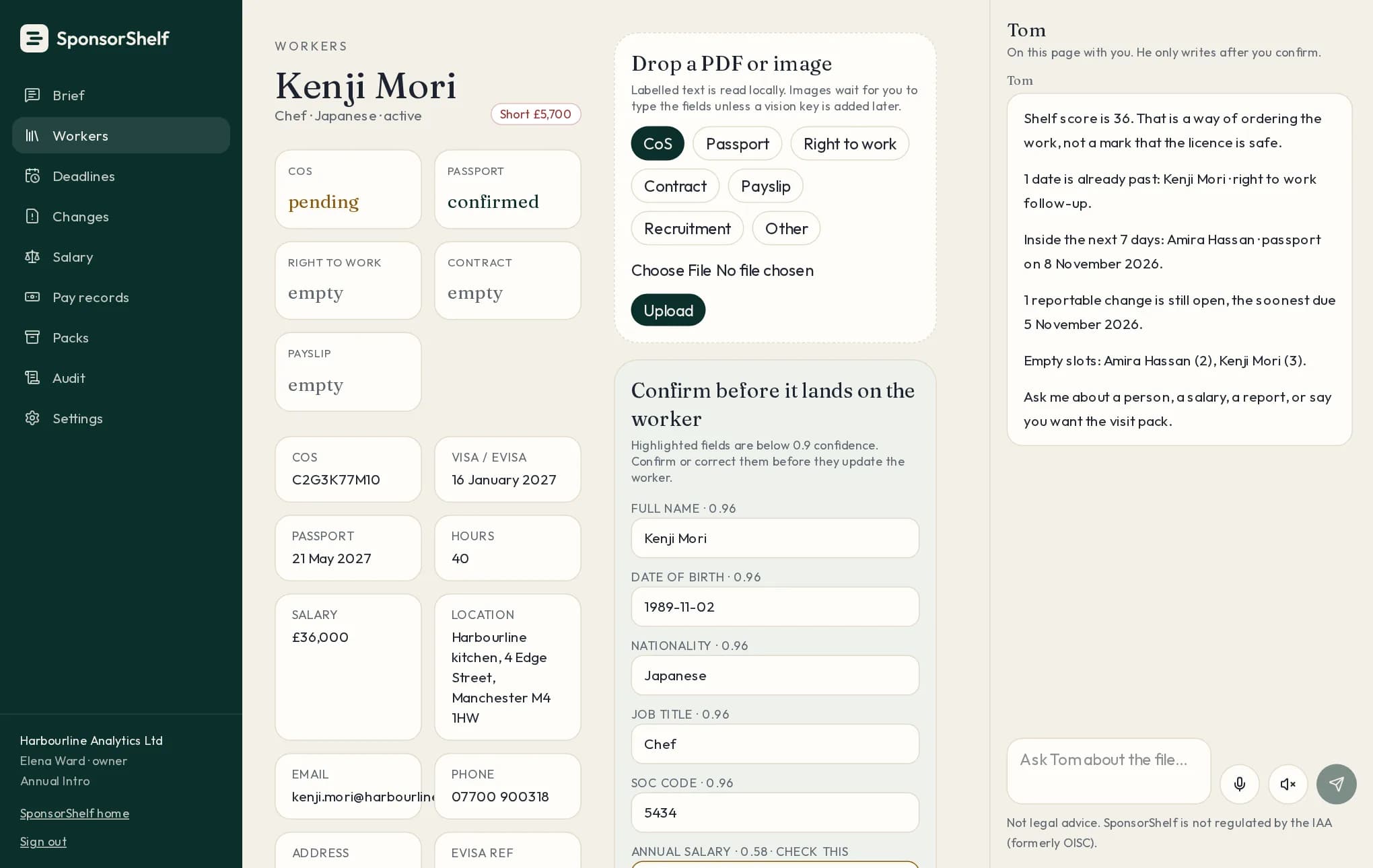
The worker shelf, from the demo account. Fictional data.
The idea
Everything a sponsor duty touches has a labelled place, a date, and a record of who looked at it.
CoS, passport, right to work, contract and payslip each have a place. An empty slot stays visible until it is filled.
Visa, passport and follow-up dates warn at 90, 30 and 7 days. Reportable changes use 10 or 20 working days, with UK bank holidays.
Ask in plain English. Tom reads the worker record, cites the guidance section, and changes nothing until you confirm.
One click gathers the documents, dates and history a compliance officer asks for, in a single export.
Tom
Tom works from your workers, dates and documents, and from the Home Office sponsor guidance. He says which section he relied on, asks for the fact he is missing, and writes nothing until you confirm.
Tom is compliance software, not immigration advice.
Example from the file
IllustrativeHR manager asks
How many days do I have to report a sponsored worker who has stopped coming to work?
Tom
I can give you the rule, but I need the date the unauthorised absence started before I can give the exact due date.
The report is due within 10 working days after the worker’s 10th consecutive working day of absence.
If you tell me the first day they stopped coming to work, I will work out the SMS deadline.
How it works
01
Type the details or drop in a document. Uncertain fields are highlighted for you to confirm.
02
Expiry dates, reporting windows and salary checks are calculated by rules, then listed in order of urgency.
03
Tom drafts the next step from your file. Every change is confirmed by you and kept in the audit trail.
Inside the app
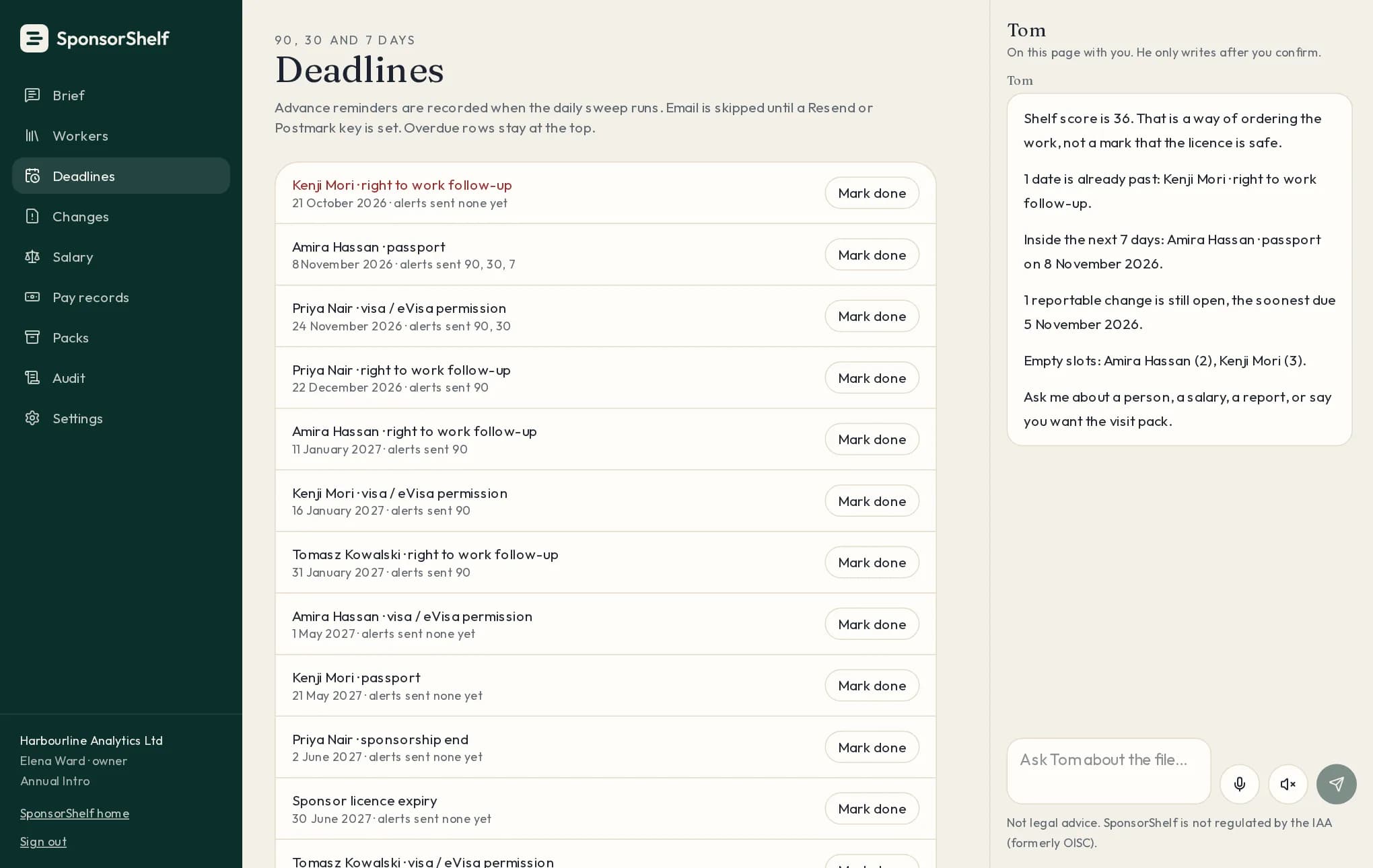
Overdue first, then the next 7, 30 and 90 days. Each row shows which reminders have gone out.
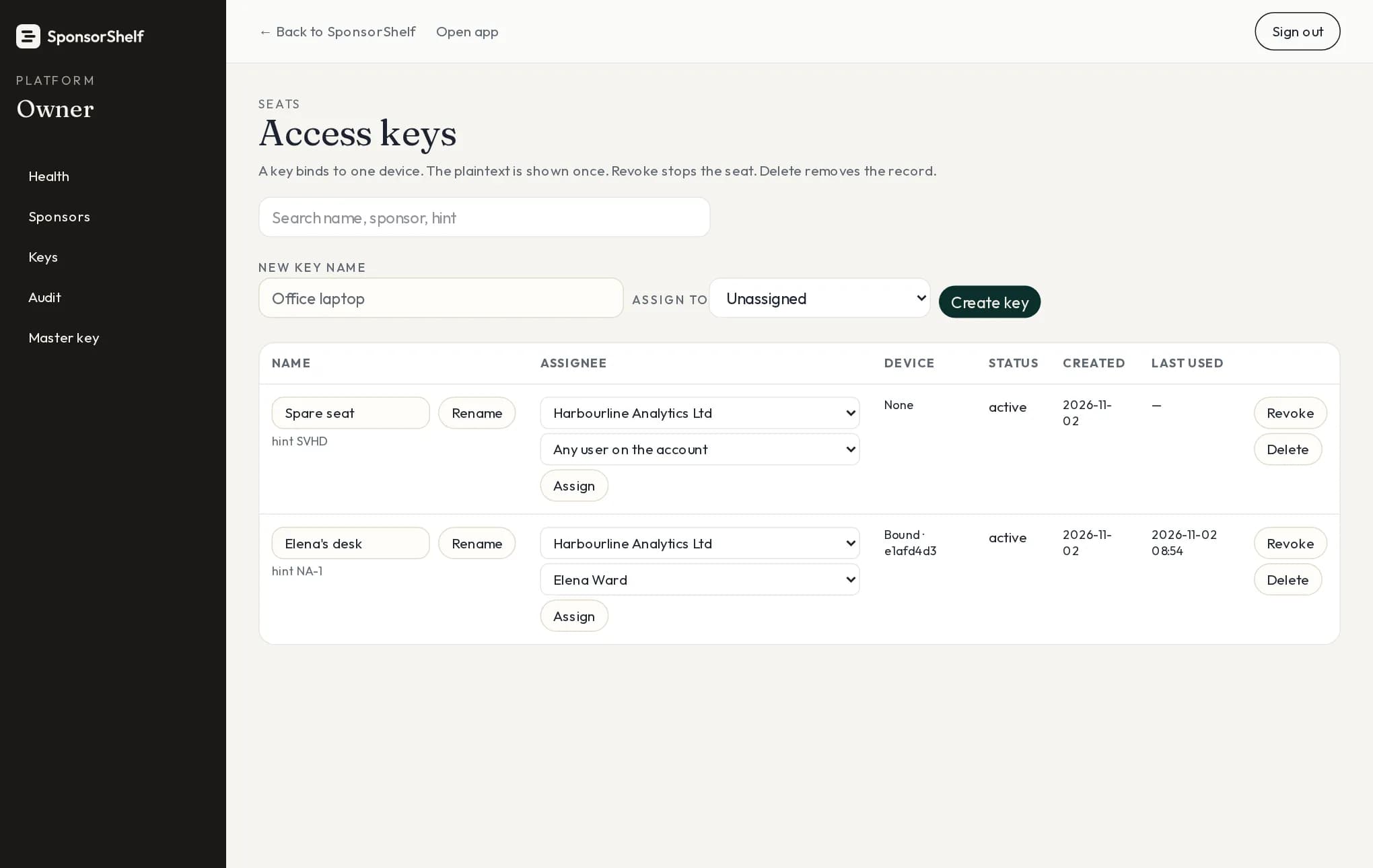
Name, assign, revoke or reset a key. Each one opens the file on one device only.
Payslips are checked against each worker’s CoS salary and the going rate, with the shortfall shown.
Absence, role and salary changes become dated tasks with the SMS deadline worked out.
Answers point to the Home Office sponsor guidance section they rely on.
Each access key binds to a single device. A shared link does not open the file.
Ask Tom by voice and hear the answer read back, in a British voice.
Who changed what, and when, is recorded for every worker and every document.
Pricing
Monthly
£49.99
per seat, per month
Annual
£299
per seat, first year
Best valueAnnual is £299 per seat for the first year, then £499 per seat a year. Excluding VAT.
Fourteen days, no card. Add your workers and see the dates that matter this week.